자바스크립트 수업 내용 정리
윤년 계산하기
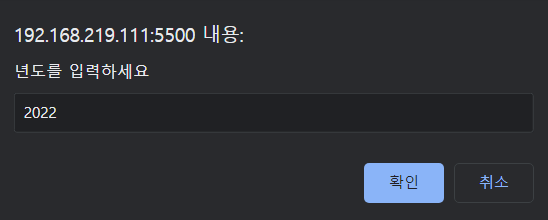

<!DOCTYPE html>
<html lang="en">
<head>
    <meta charset="UTF-8">
    <meta http-equiv="X-UA-Compatible" content="IE=edge">
    <meta name="viewport" content="width=device-width, initial-scale=1.0">
    <title>윤년계산하기</title>
</head>
<body>
    <script>
        year = prompt("년도를 입력하세요");
        y = parseInt(year);
        if(y%4==0 && y%100!=0 || y%400==0)
            document.write(y+'년도는 윤년');
        else
            document.write(y+'년도는 평년');
    </script>
</body>
</html>
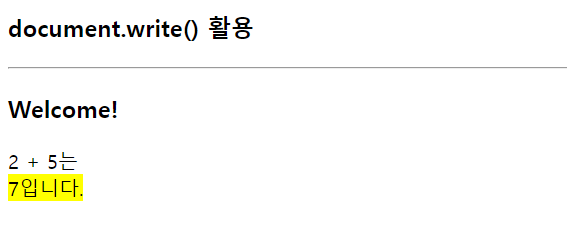
document.write() 활용하기
<!DOCTYPE html>
<html lang="en">
<head>
    <meta charset="UTF-8">
    <meta http-equiv="X-UA-Compatible" content="IE=edge">
    <meta name="viewport" content="width=device-width, initial-scale=1.0">
    <title>Document</title>
</head>
<body>
    <h3>document.write() 활용</h3>
    <hr>
    <script>
        document.write('<h3>Welcome!</h3>');
        document.write('2 + 5는 <br>');
        document.write('<mark>7입니다.</mark>');
    </script>
</body>
</html>
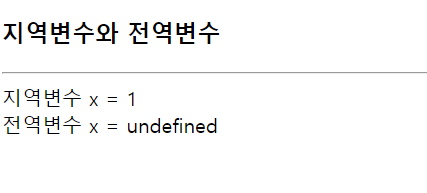
지역변수와 전역변수
- 지역 변수와 전역 변수의 이름이 같을 때
- 전역 변수에 접근하고자 할 때 : this.전역변수
<!DOCTYPE html>
<html lang="en">
<head>
    <meta charset="UTF-8">
    <meta http-equiv="X-UA-Compatible" content="IE=edge">
    <meta name="viewport" content="width=device-width, initial-scale=1.0">
    <title>지역변수와 전역변수</title>
</head>
<body>
    <h3>지역변수와 전역변수</h3>
    <hr>
    <script>
        let x = 100;
        function f(){
            var x = 1;
            document.write('지역변수 x = '+ x + "<br>");
            document.write('전역변수 x = '+this.x);
        }
        //함수호출
        f();
    </script>
</body>
</html>
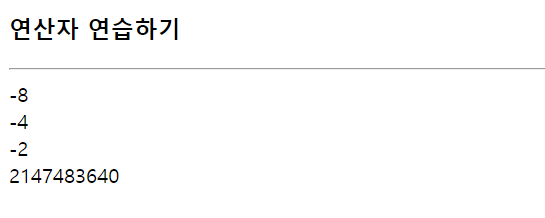
연산자 연습하기
<!DOCTYPE html>
<html lang="en">
<head>
    <meta charset="UTF-8">
    <meta http-equiv="X-UA-Compatible" content="IE=edge">
    <meta name="viewport" content="width=device-width, initial-scale=1.0">
    <title>operator</title>
</head>
<body>
    <h3>연산자 연습하기</h3>
    <hr>
    <script>
        let a = -16;
        document.write((a >> 1) + "<br>");
        document.write((a>>2) + "<br>");
        document.write((a>>3)+"<br>");
        document.write(a>>>1);
        //let b = a << 1;
    </script>

</body>
</html>
링크의 href에 작성
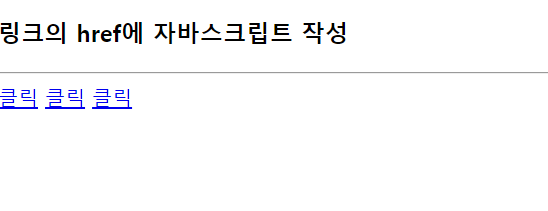
<!DOCTYPE html>
<html lang="en">
<head>
    <meta charset="UTF-8">
    <meta http-equiv="X-UA-Compatible" content="IE=edge">
    <meta name="viewport" content="width=device-width, initial-scale=1.0">
    <title>Document</title>
</head>
<body>
    <h3>링크의 href에 자바스크립트 작성</h3>
    <hr>
    <a href="javascript:alert('경고창을 띄웁니다.')">클릭</a>
    <a href="javascript:confirm('경고창을 띄웁니다.')">클릭</a>
    <a href="javascript:prompt('입력창을 띄웁니다.')">클릭</a>
</body>
</html>
html 태그의 이벤트 리스너 코드에 자바스크립트 코드 작성
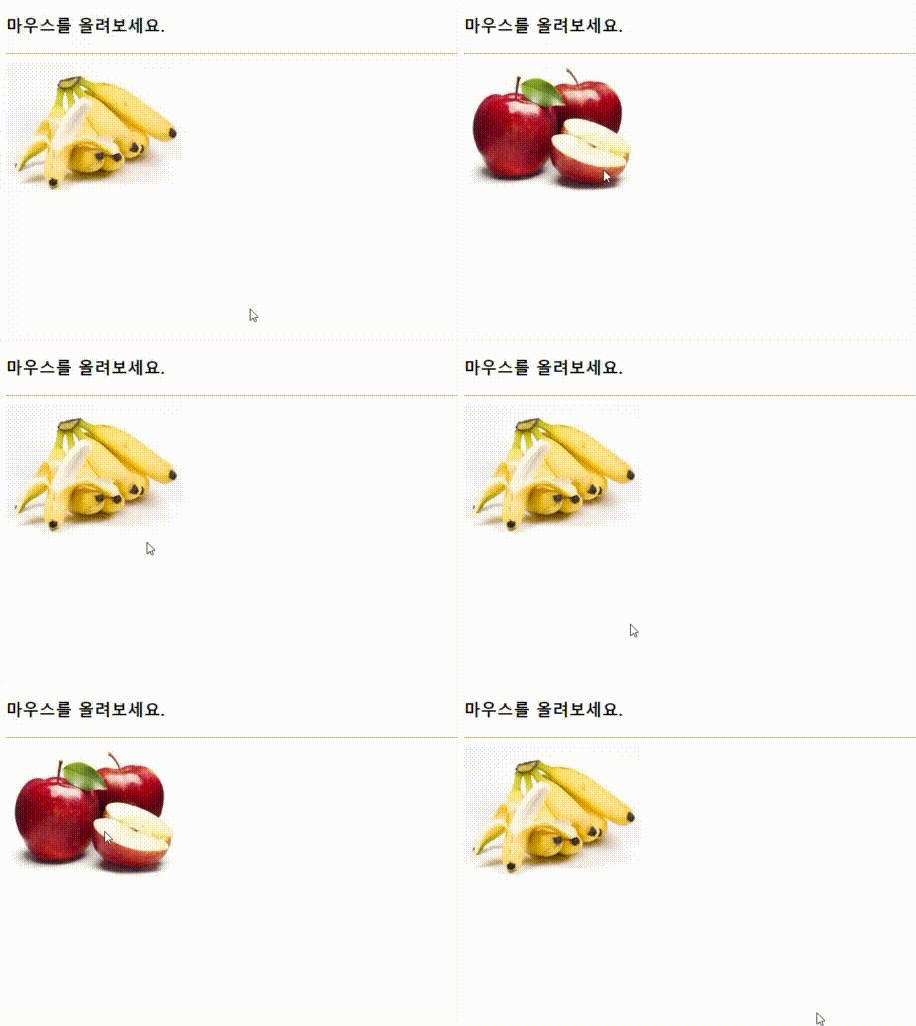
<!DOCTYPE html>
<html lang="en">
<head>
    <meta charset="UTF-8">
    <meta http-equiv="X-UA-Compatible" content="IE=edge">
    <meta name="viewport" content="width=device-width, initial-scale=1.0">
    <title>이벤트 리스너 코드에 자바스크립트</title>
</head>
<body>

    <h3>마우스를 올려보세요</h3>
    <hr>
    <img src="images/banana.png" alt="바나나이미지"
    onmouseover="this.src='images/apple.png'"
    onmouseout="this.src='images/banana.png'" width="200">
</body>
</html>
- 이미지에 마우스를 올리면 바나나로, 내리면 다시 사과로 바뀐다.
자바스크립트 파일 작성하고 불러오기
/* 자바스크립트 파일 lib.js */
function over(obj){
    obj.src="images/apple.png";
}
function out(obj){
    obj.src="images/banana.png";
}
<!DOCTYPE html>
<html lang="en">
<head>
    <meta charset="UTF-8">
    <meta http-equiv="X-UA-Compatible" content="IE=edge">
    <meta name="viewport" content="width=device-width, initial-scale=1.0">
    <title>Document</title>
    <script src="js/lib.js"></script>
</head>
<body>
    <h3>마우스를 올려보세요.</h3>
    <hr>
    <img src="images/banana.png" alt=""
    onmouseover="over(this)"
    onmouseout="out(this)" width="200">
</body>
</html>
<!DOCTYPE html>
<html lang="en">
<head>
    <meta charset="UTF-8">
    <meta http-equiv="X-UA-Compatible" content="IE=edge">
    <meta name="viewport" content="width=device-width, initial-scale=1.0">
    <title>Document</title>
    <script>
        function over(obj){
            obj.src="images/apple.png";
        }
        function out(obj){
            obj.src="images/banana.png";
        }
    </script>
</head>
<body>
    <h3>마우스를 올려보세요.</h3>
    <hr>
    <img src="images/banana.png" alt="바나나"
    onmouseover="over(this)"
    onmouseout="out(this)" width="200">
</body>
</html>
Leave a comment