자바스크립트 수업 내용 정리
[]로 배열 만들기
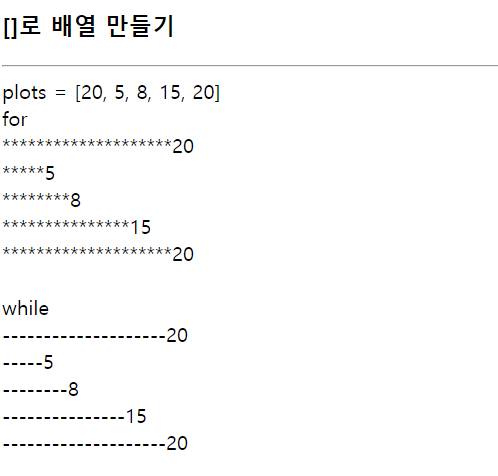
<!DOCTYPE html>
<html lang="en">
<head>
    <meta charset="UTF-8">
    <meta name="viewport" content="width=device-width, initial-scale=1.0">
    <title>Document</title>
</head>
<body>
    <h3>[]로 배열 만들기</h3>
    <hr>
    <script>
        var plots = [20, 5, 8, 15, 20];
        document.write('plots = [20, 5, 8, 15, 20]<br>for<br>');

        for(i=0;i<5;i++)
        {
            var size = plots[i];
            for(j=0;j<size;j++){
                document.write('*');
            }
            document.write(plots[i]+'<br>');

        }
        document.write('<br>while<br>');
        for(i=0;i<5;i++)
        {
            var size = plots[i];
            j=0;
            while(j<size){
                j++;
                document.write('-');
            }
            document.write(plots[i]+'<br>');
        }
    </script>
</body>
</html>
array 객체로 배열 만들기
<!DOCTYPE html>
<html lang="en">
<head>
    <meta charset="UTF-8">
    <meta name="viewport" content="width=device-width, initial-scale=1.0">
    <title>Document</title>
</head>
<body>
    <h3>Array 객체로 배열 만들기</h3>
    <hr>
    <script>
        var degrees = new Array(5);
        // degrees[0] = 15.1;
        // degrees[1] = 15.4;
        // degrees[2] = 16.1;
        // degrees[3] = 17.5;
        // degrees[4] = 19.2;
        // degrees[5] = 21.4;

        for(i=0,sum=0; i<degrees.length;i++){
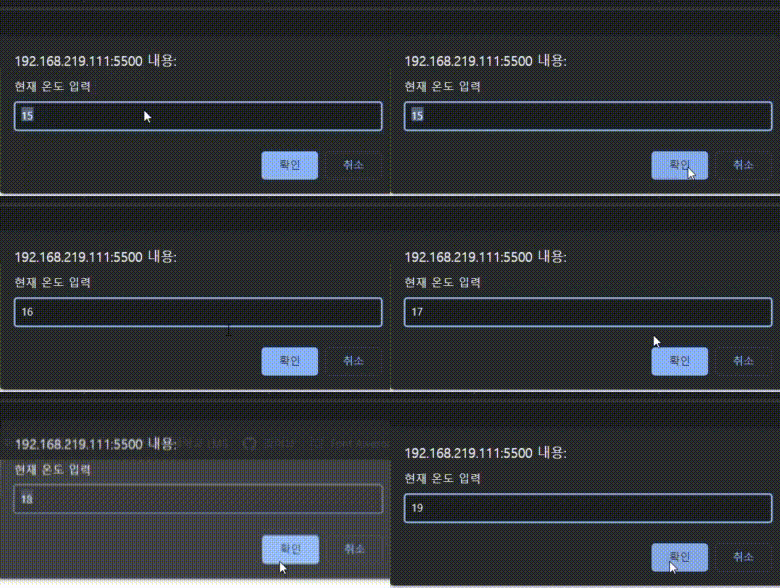
            degrees[i] = parseFloat(prompt("현재 온도 입력",15));
            sum+=degrees[i];
        }
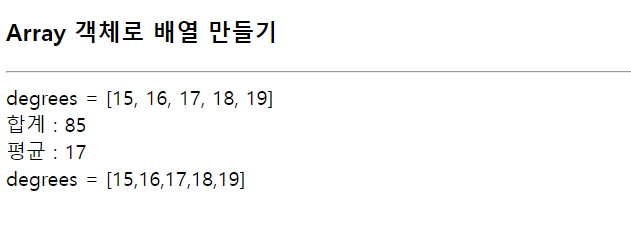
        document.write('degrees = [');

        for(i=0;i<degrees.length;i++){

            if(i==degrees.length-1)
                document.write(degrees[i]+'] <br>');
            else
                document.write(degrees[i]+', ');
        }
        document.write('합계 : '+sum+'<br>');
        document.write('평균 : '+sum/degrees.length+'<br>');
        document.write('degrees = ['+degrees.toString()+']');

    </script>
</body>
</html>
객체 생성 및 활용
<!DOCTYPE html>
<html lang="en">
<head>
    <meta charset="UTF-8">
    <meta name="viewport" content="width=device-width, initial-scale=1.0">
    <title>Document</title>
</head>
<body>
    <h3>객체 생성 및 활용</h3>
    <hr>
    <script>
        //Date 객체 생성
        var today = new Date();
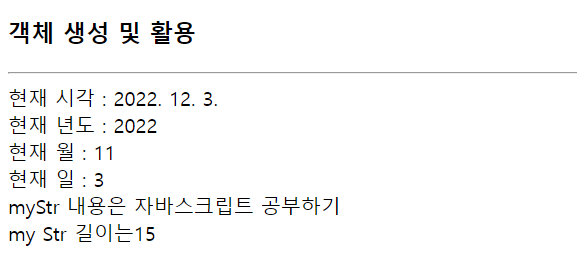
        document.write('현재 시각 : '+today.toLocaleDateString()+'<br>');
        document.write('현재 년도 : '+ today.getFullYear()+'<br>');
        document.write('현재 월 : '+today.getMonth()+'<br>');
        document.write('현재 일 : '+today.getDate()+'<br>');
        //String
        var myStr = new String("자바스크립트 공부하기"+'<br>');
        document.write('myStr 내용은 '+myStr);
        document.write('my Str 길이는' + myStr.length+'<br>');
    </script>
</body>
</html>
math를 활용한 구구단
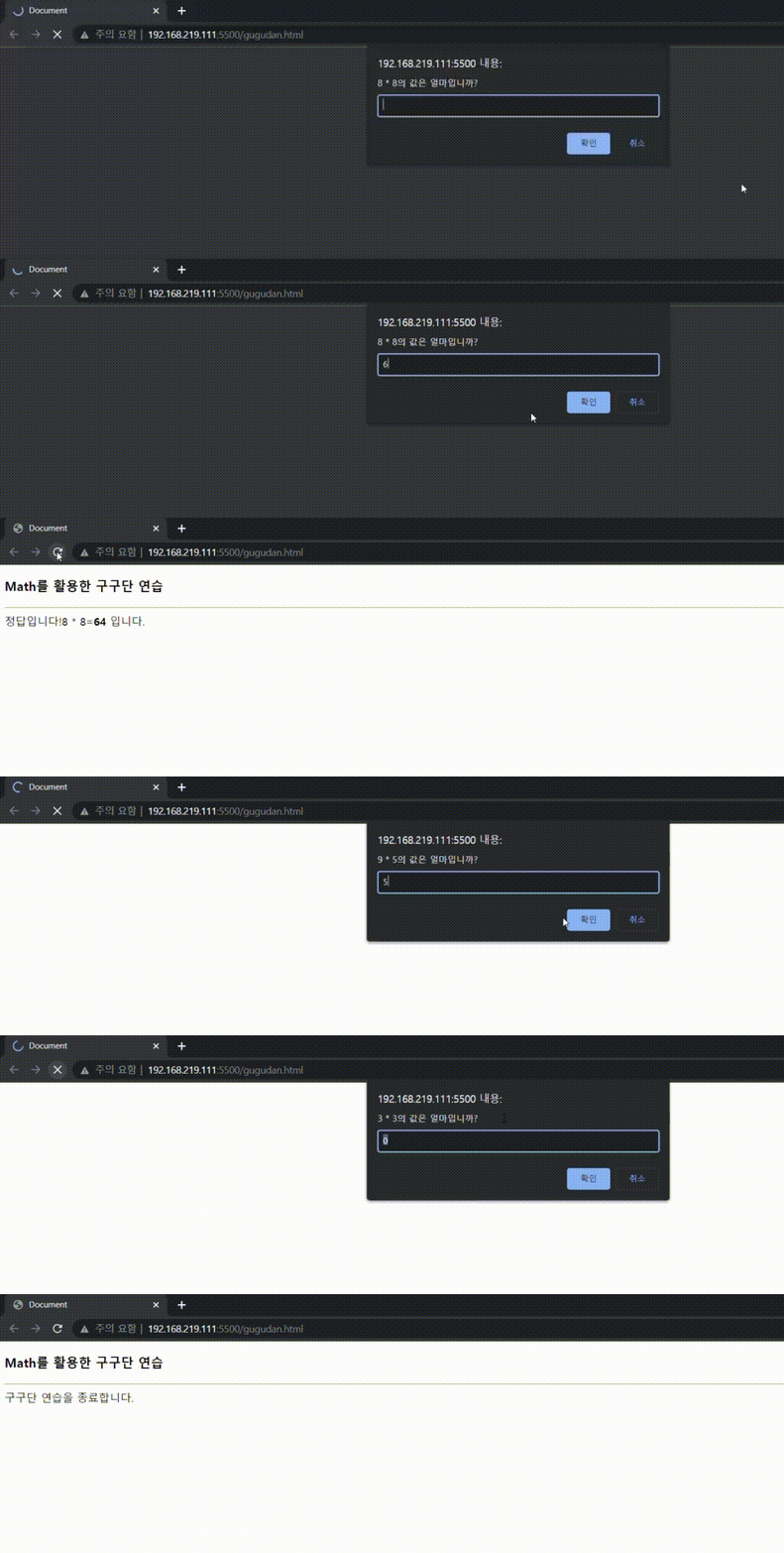
<!DOCTYPE html>
<html lang="en">
<head>
    <meta charset="UTF-8">
    <meta name="viewport" content="width=device-width, initial-scale=1.0">
    <title>Document</title>
    <script>
        function randomInt(){
            return Math.floor(Math.random()*9) +1;9
        }
    </script>
</head>
<body>
    <h3>Math를 활용한 구구단 연습</h3>
    <hr>
    <script>
        //구구단 문제 생성
        var ques = randomInt() + " * " +randomInt();
        //사용자로 부터 답 입력
        var user = prompt(ques+"의 값은 얼마입니까?",0);
        if(user==null){ //취소버튼을 클리합면
            document.write('구구단 연습을 종료합니다.');
        }
        else{
            var ans = eval(ques);
            if(ans==user)
                document.write('정답입니다!');
            else
                document.write('오답입니다.');
        document.write(ques+'='+'<strong>'+ans+'</strong> 입니다. <br>');

        }
    </script>
</body>
</html>
로또
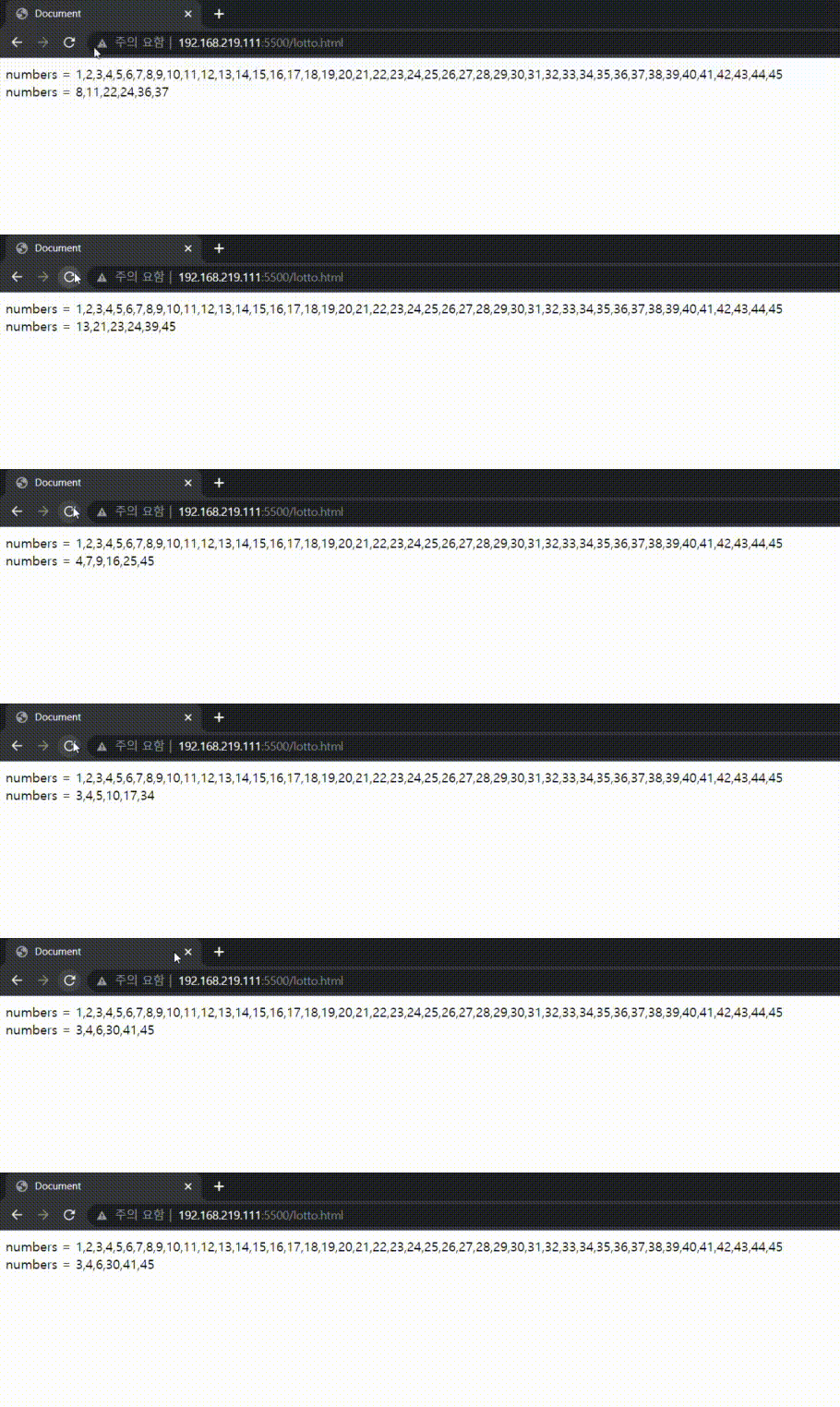
<!DOCTYPE html>
<html lang="en">
<head>
    <meta charset="UTF-8">
    <meta name="viewport" content="width=device-width, initial-scale=1.0">
    <title>Document</title>
    <script>
        function shuffle(array) {
        array.sort(() => Math.random() - 0.5);
        }
    </script>
</head>
<body>
    <script>
    var numbers = new Array(45);
    for (let i = 0; i < numbers.length; i++) {
        numbers[i] = i + 1;
        //ctrl+h
    }
    document.write('numbers = '+numbers.toString()+'<br>');
    shuffle(numbers);
    var lotto = new Array(6);
    for(i=0;i<lotto.length;i++)
        lotto[i] = numbers[i];
    lotto.sort(function(a, b)  {
        return a - b;
    })
    document.write('numbers = '+ lotto.toString()+'<br>');
    </script>

</body>
</html>
new Object()로 객체 만들기
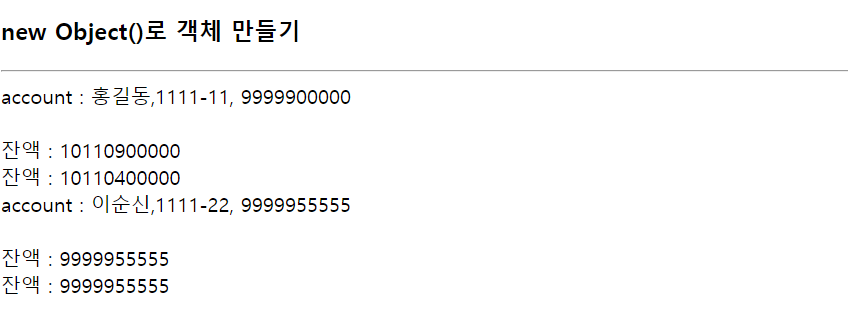
<!DOCTYPE html>
<html lang="en">
<head>
    <meta charset="UTF-8">
    <meta name="viewport" content="width=device-width, initial-scale=1.0">
    <title>Document</title>
    <script>
        function inquiry(){
            return this.balance;
        }
        function deposit(money){
            this.balance += money;
        }
        function withdraw(money){
            this.balance -= money;
            return money;
        }
        var account = new Object();
        account.owner = "홍길동";
        account.code = "1111-11";
        account.balance = 9999900000;
        account.inquiry = inquiry;
        account.deposit = deposit;
        account.withdraw = withdraw;

        var account2 = new Object();
        account2.owner = "이순신";
        account2.code = "1111-22";
        account2.balance = 9999955555;
        account2.inquiry = inquiry;
        account2.deposit = deposit;
        account2.withdraw = withdraw;
    </script>
</head>
<body>
    <h3>new Object()로 객체 만들기</h3>
    <hr>
    <script>
        document.write('account : '+account.owner+','+ account.code+', '+account.balance+'<br><br>');

        account.deposit(111000000);
        document.write('잔액 : '+account.inquiry()+'<br>');
        account.withdraw(500000);
        document.write('잔액 : '+account.inquiry()+'<br>');

        document.write('account : '+account2.owner+','+ account2.code+', '+account2.balance+'<br><br>');
        account.deposit(111000000);
        document.write('잔액 : '+account2.inquiry()+'<br>');
        account.withdraw(500000);
        document.write('잔액 : '+account2.inquiry());

    </script>
</body>
</html>
리터럴 표기법으로 객체 만들기
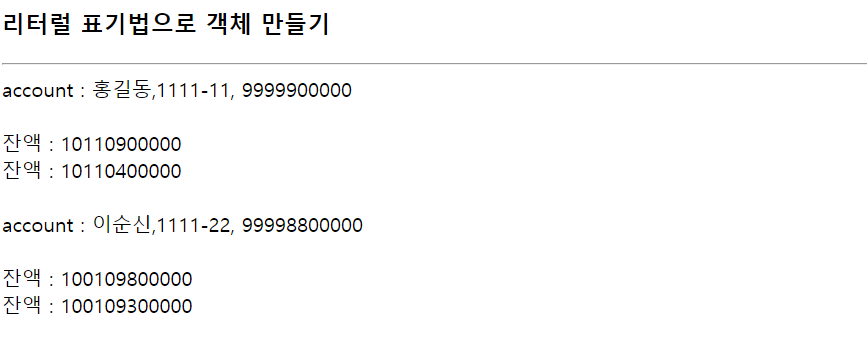
<!DOCTYPE html>
<html lang="en">
<head>
    <meta charset="UTF-8">
    <meta name="viewport" content="width=device-width, initial-scale=1.0">
    <title>Document</title>
    <script>
        var account = {
            owner : "홍길동",
            code : "1111-11",
            balance : 9999900000,
            inquiry: function(){
            return this.balance;
        },
            deposit:function(money){
            this.balance += money;
        },
            withdraw:function(money){
            this.balance -= money;
            return money;
        }
        };

        var account2 = {
            owner : "이순신",
            code : "1111-22",
            balance : 99998800000,
            inquiry: function(){
            return this.balance;
        },
            deposit:function(money){
            this.balance += money;
        },
            withdraw:function(money){
            this.balance -= money;
            return money;
        }
        };
    </script>
</head>
<body>
    <h3>리터럴 표기법으로 객체 만들기</h3>
    <hr>
    <script>
        document.write('account : '+account.owner+','+ account.code+', '+account.balance+'<br><br>');

        account.deposit(111000000);
        document.write('잔액 : '+account.inquiry()+'<br>');
        account.withdraw(500000);
        document.write('잔액 : '+account.inquiry()+'<br><br>');

        document.write('account : '+account2.owner+','+ account2.code+', '+account2.balance+'<br><br>');

        account2.deposit(111000000);
        document.write('잔액 : '+account2.inquiry()+'<br>');
        account2.withdraw(500000);
        document.write('잔액 : '+account2.inquiry()+'<br>');
    </script>
</body>
</html>
account prototype 만들기
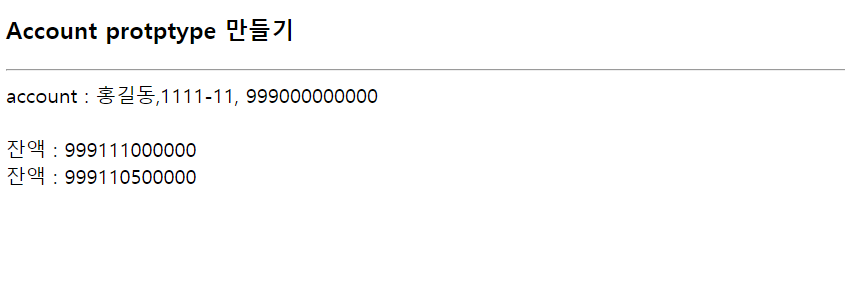
<!DOCTYPE html>
<html lang="en">
<head>
    <meta charset="UTF-8">
    <meta name="viewport" content="width=device-width, initial-scale=1.0">
    <title>Document</title>
    <script>
        function Account(owner, code, balance){
            this.owner = owner;
            this.code = code;
            this.balance = balance;
            this.inquiry=function inquiry(){
            return this.balance;
        };
            this.deposit=function(money){
            this.balance += money;
        };
            this.withdraw=function(money){
            this.balance -= money;
            return money;
        };

    }
    </script>
</head>
<body>
    <h3>Account protptype 만들기</h3>
    <hr>
    <script>
        var account = new Account("홍길동","1111-11",999000000000);
        var account2 = new Account("이순신","1111-22",99988880000);
        document.write('account : '+account.owner+','+ account.code+', '+account.balance+'<br><br>');
        account.deposit(111000000);
        document.write('잔액 : '+account.inquiry()+'<br>');
        account.withdraw(500000);
        document.write('잔액 : '+account.inquiry()+'<br>');
    </script>
</body>
</html>
객체 메소드 활용
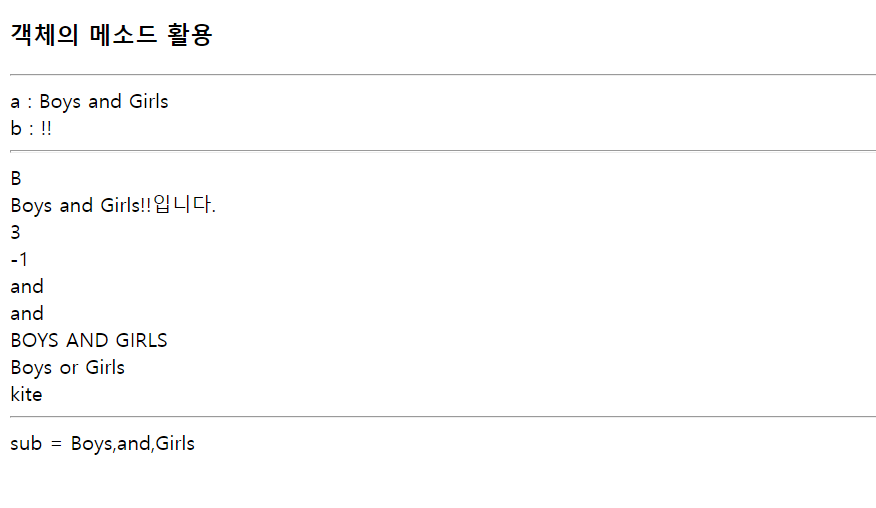
<!DOCTYPE html>
<html lang="en">
<head>
    <meta charset="UTF-8">
    <meta name="viewport" content="width=device-width, initial-scale=1.0">
    <title>Document</title>
</head>
<body>
    <h3>객체의 메소드 활용</h3>
    <hr>
    <script>
        var a = new String("Boys and Girls");
        var b = "!!";
        document.write('a : '+a+'<br>');
        document.write('b : '+b+'<br><hr>');
        document.write(a.charAt(0)+'<br>');
        document.write(a.concat(b, '입니다.')+'<br>');
        document.write(a.indexOf('s')+'<br>');
        document.write(a.indexOf('AND')+'<br>');
        document.write(a.slice(5,8)+'<br>'); //5에서 8까지 가져오기
        document.write(a.substr(5,3)+'<br>'); //5에서 3개 가져오기
        document.write(a.toUpperCase()+'<br>');
        document.write(a.replace('and','or')+'<br>');
        document.write("     kite      ".trim() +'<br><hr>');
        var sub = a.split(" ");
        document.write('sub = '+sub.toString());

</script>
</body>
</html>
Leave a comment